
A year ago, picking between AI coding assistants was simple. One did autocomplete. One did chat. One did “agents”, whatever that meant that week.
Now? They all do a bit of everything.
Claude Code has IDE extensions. Copilot has an agent mode. Cursor runs agents in the background. Cline plugs into whatever model you like.
Cool, right? Well… yes. But it also makes the choice harder, not easier.
I’ve been working with these AI coding assistants on day-to-day work — the boring-but-necessary bits as much as the clever ones. And the most useful thing I’ve learnt is that the marketing pages all sound the same, while the tools themselves really don’t.
So, let’s have a look. (Comparison checked against each vendor’s documentation in October 2026. These tools change monthly, so check before you commit.)
AI coding assistants in a nutshell
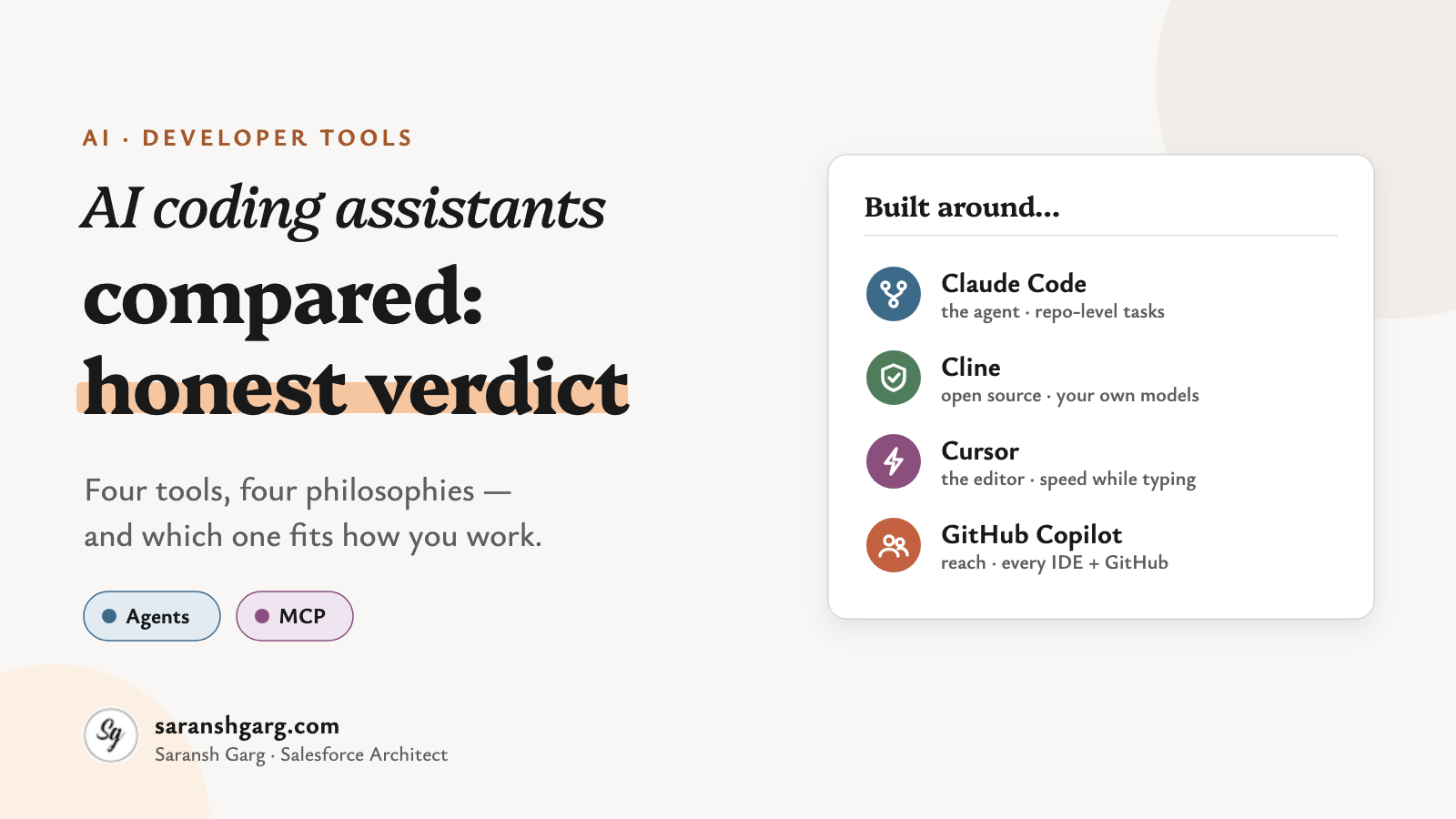
- Claude Code: an agent first. Strongest when the task spans the whole repository and needs planning.
- Cline: open source and bring-your-own-model. Maximum control, a bit more setup.
- Cursor: an AI-native editor. The smoothest “AI inside every keystroke” experience.
- GitHub Copilot: the easiest to roll out. It lives where your team already works, especially if that’s GitHub.
First, what do we mean by an AI coding assistant?
The words get used loosely, so here’s how I’ll use them:
- Autocomplete — the tool suggests the next line or block as you type. You stay in control of every change.
- Chat — you ask questions about your code and paste answers in yourself.
- Agent — the tool plans a task, edits several files, runs commands and tests, and checks its own work. You review the result.
- MCP (Model Context Protocol) — an open standard that lets an assistant use external tools and data, such as Jira, a database or your Salesforce org.
Here’s the shift that matters for AI coding assistants today. All four tools now offer an agent and MCP. The difference is which of those modes each tool was built around.
Claude Code
If you like working in a terminal and thinking in tasks rather than keystrokes, this is the one that feels most at home.
Claude Code is Anthropic’s agentic coding tool. Despite its terminal-first reputation, Anthropic’s documentation lists five places it runs: the terminal, VS Code, JetBrains, a desktop app and the web. Your settings, project instructions and MCP servers carry across all of them.
Built around: the agent — read the repo, plan, edit, run, verify. Models: Anthropic’s Claude models. MCP: yes, configured once and shared across every surface. Watch-outs: inline autocomplete isn’t the point. And you’re tied to one model family.
Example scenarios
- Refactoring a shared service used by 30 classes, with tests run after every step.
- “Read this repo and explain how authentication works” on a codebase you inherited yesterday.
Cline
Cline is for people who want to see, and choose, everything.
It’s an open-source (Apache 2.0) agent that runs as a VS Code extension. You connect your own model provider — Anthropic, OpenAI, Google, or a local model — and pay that provider directly. Its Plan mode is read-only: it explores and proposes. Act mode carries out the plan and asks for approval on risky steps like file writes and terminal commands.
Built around: the agent, with you approving each step. Models: any provider you connect, including local ones. MCP: yes, and it’s a big part of its appeal. Watch-outs: you own the setup, the keys and the bill. A long autonomous run on an expensive model adds up fast.
Example scenarios
- A team with strict data rules running Cline against a self-hosted model.
- Planning with a strong reasoning model, then switching to a cheaper one to execute.
Cursor
Cursor is the one people describe as “it just feels fast.”
It’s a full code editor built on VS Code, with AI in every layer: autocomplete that predicts your next edit, chat, an agent, and background agents that work on tasks while you carry on. According to Cursor’s models and pricing page, you can use Cursor’s own models alongside Claude, GPT and Gemini, depending on your plan.
Built around: the editor experience. Models: Cursor’s own plus the major third-party models. MCP: yes. Watch-outs: you’re switching editors, not adding an extension. Some enterprises will want a close look at governance and where code is processed.
Example scenarios
- A product team shipping UI changes daily, where autocomplete speed matters most.
- Handing a well-scoped bug to a background agent while you keep coding.
GitHub Copilot
Copilot is the “nobody has to change anything” option. And that’s a real strength.
It started as autocomplete. It’s now much more than that. Agent mode works inside VS Code, Visual Studio, JetBrains, Xcode and Eclipse. Copilot’s cloud agent picks up a GitHub issue and comes back with a pull request. And you can pick from OpenAI, Claude and Gemini models.
Built around: reach — every major IDE, plus GitHub itself. Models: multiple providers, chosen per task. MCP: yes, in the IDE, the CLI and the cloud agent (admins control which servers and tools it can use). Watch-outs: the agent features are newer than the autocomplete, and some depend on your plan and on org policies being switched on.
Example scenarios
- A 500-developer enterprise that needs one approved tool, managed centrally.
- Assigning a small backlog issue to Copilot and reviewing the PR it opens.
AI coding assistants side by side
Here’s how the four AI coding assistants compare, trimmed to the rows that actually separate them.
| Claude Code | Cline | Cursor | GitHub Copilot | |
|---|---|---|---|---|
| Built around | Agent | Agent with step approval | AI-native editor | Broad IDE + GitHub reach |
| Where it runs | Terminal, VS Code, JetBrains, desktop, web | VS Code (and forks) | Its own VS Code-based editor | VS Code, Visual Studio, JetBrains, Xcode, Eclipse, GitHub.com |
| Models | Claude | Any provider, incl. local | Cursor’s own + Claude, GPT, Gemini | OpenAI, Claude, Gemini |
| Open source | No | Yes (Apache 2.0) | No | No |
| Inline autocomplete | Not its focus | Not its focus | Core strength | Core strength |
| Multi-file agent work | Core strength | Core strength | Strong | Strong, and improving |
| Tasks in the cloud | Yes (web) | No, runs locally | Yes (background agents) | Yes (cloud agent from issues) |
| MCP | Yes | Yes | Yes | Yes |
| How you pay | Claude plan or API usage | Your model provider | Cursor plans | Copilot plans |
| Easiest win | Large, planning-heavy changes | Control over models and cost | Speed while typing | Rollout to a whole team |
And what about Salesforce developers?
This is where it gets interesting for most people reading this blog.
Salesforce publishes a Salesforce DX MCP Server that understands the content and configuration of your DX project. Salesforce also describes a hosted MCP option that runs on Salesforce infrastructure with per-user OAuth. Because all four tools support MCP, any of these AI coding assistants can now work with Apex, LWC and your org metadata with real context instead of guesswork.
Salesforce also has its own option, Agentforce Vibes, which runs in VS Code-compatible editors and generates Apex and Lightning Web Components.
A few things I’d insist on before anyone points an agent at an org:
- Sandboxes, not production. An agent that can deploy will eventually deploy something you didn’t expect.
- Least-privilege access. Allowlist read-only MCP tools first. GitHub’s own docs recommend exactly this for its cloud agent.
- Same review gates. Agent-written Apex still goes through code review, tests and your deployment pipeline. No shortcuts.
So, what’s the honest verdict?
Here’s the question everyone asks:
“Which AI coding assistant is the best?”
And here’s the one worth asking:
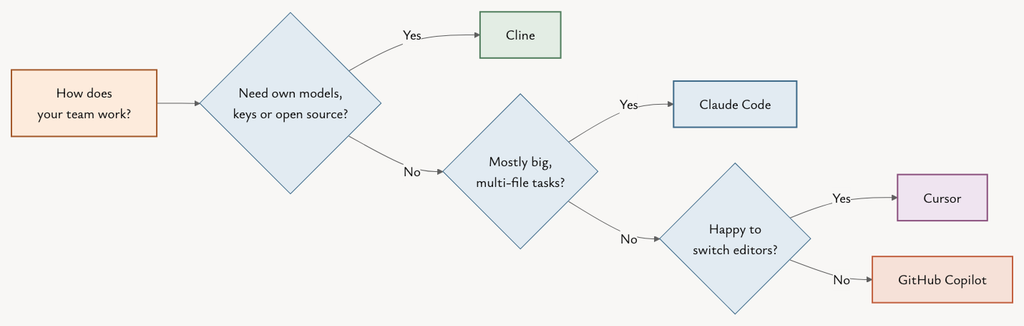
“Which one is best for the way my team works?”
1. Do you want to change editors?
If not, Copilot or Claude Code (via its extensions) will fit in. If you’re happy to switch, Cursor rewards it.
2. How much of your work is “big task” vs “next line”?
Planning-heavy, multi-file changes favour Claude Code and Cline. Fast, continuous editing favours Cursor and Copilot.
3. Who controls the models and the bill?
If you need your own keys, local models or open source, that’s Cline. Everyone else trades some control for convenience.
4. What will your security team sign off?
Copilot has the easiest enterprise story for GitHub shops. For the others, check where code is processed and what the admin controls cover.
If a client asked me tomorrow which AI coding assistants to roll out, I’d say this. Roll out Copilot or Claude Code as the team default. Give the developers who do the heavy architecture and refactoring work an agent-first tool. And let your power users experiment with Cline. I’d expect most teams to end up running two of these, not one.
The bigger picture
These AI coding assistants are converging. Every one of them now reads whole repositories, edits multiple files, runs commands and plugs into MCP.
So the differences that will matter next year aren’t features. They’re how much autonomy you’re comfortable with, how well the tool fits your governance, and what it costs per finished task — not per seat.
Which brings us back to the question we started with. Which tool is best?
Well… which job are we talking about?
If you’re interested in how Salesforce is putting AI to work on the marketing side, have a look at Smart features in the new Marketing Cloud Next. And if you’re weighing up these tools for a Salesforce team, do get in touch.